
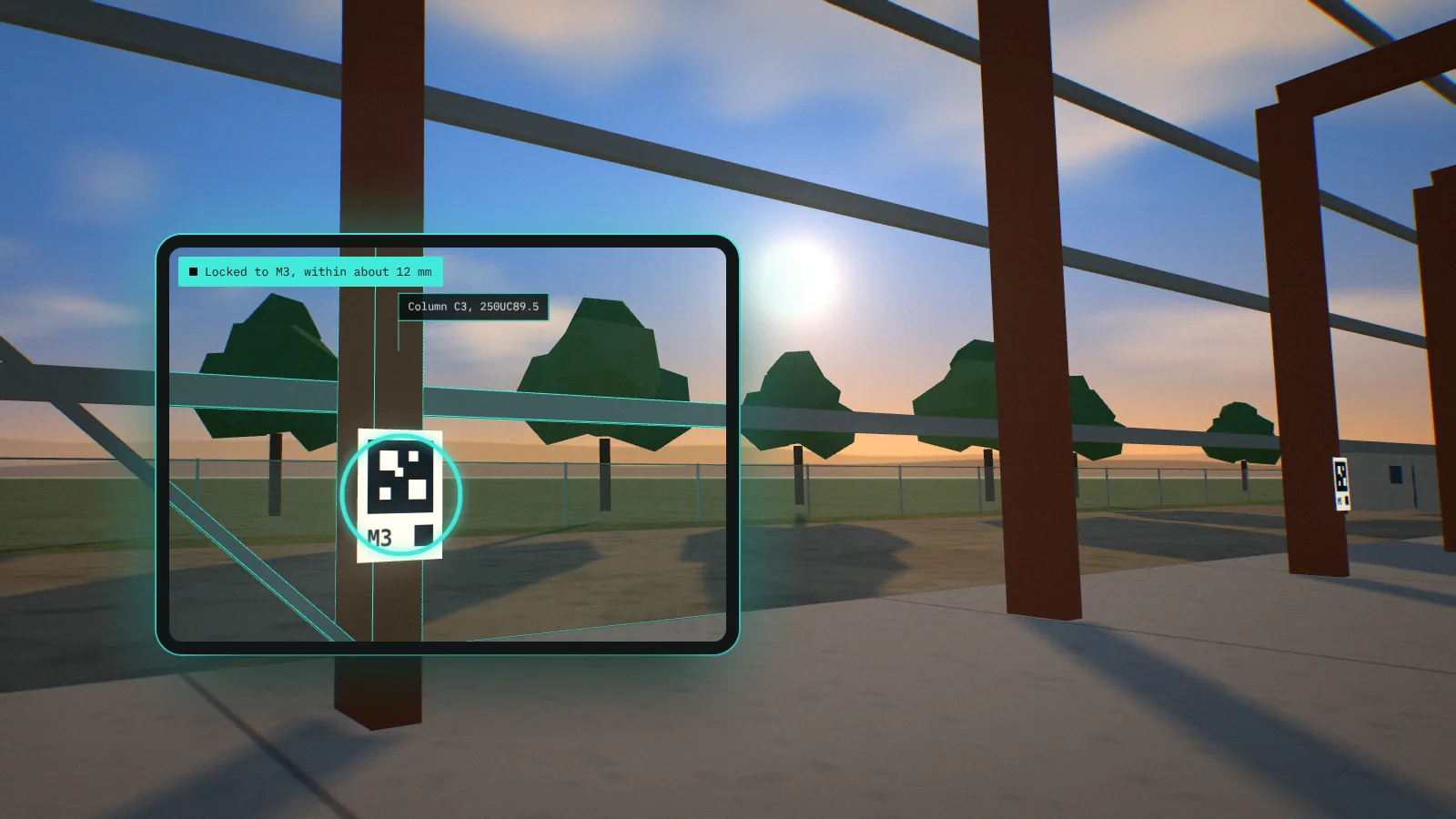
How it works
- Prepare the model. The IFC model is converted for AR on a computer, and the marker boards, M1 to M20, are printed at A3.
- Fix a board at a known grid point. Boards sit 1500 mm above the floor, flat and lined up to the gridline.
- Point the iPad at the board and hold still until the ring fills. The model locks to the site in true position and stays there as you walk.
- Look at what you need. Switch parts of the model on and off, from structural steel to fire services, and tap an element to read its properties.
What it is for
- Checking that built steel, setout and services are where the model says they should be.
- Seeing what goes where before it is installed.
- Showing the modelled steel and services behind a wall that has already been lined.
How accurate it is
After a good lock, expect about ±10 to 20 mm near the marker. At 20 to 30 m from the marker, expect 50 to 100 mm or more, mostly from heading error, so work within 5 to 10 m of a board and lock again at the next one.
ARKKEEP is a visual check tool. It is not survey-grade setout. These are expected figures, and each one is measured on site before anything relies on it.
Where it is up to
Model preparation and the marker set are built. The field app, with marker lock, model sections and element properties, is in site testing. A two-point lock with a measured accuracy check is next. Status as of November 2026.
Questions
What model format does it use?
IFC. The model is prepared for AR on a computer before it goes onto the iPad.
Does it work without mobile signal?
Yes. The model is stored on the device, so it works in a basement or out of range, and syncs later.
Can I use it for setout?
No. It is a visual check tool for seeing whether something is there and roughly where it should be. Setout and levels stay with a GNSS rover, a level or your surveyor.
Which devices does it need?
An iPad Pro or iPhone Pro with LiDAR.
Can I try it?
A pilot with two or three builders is planned. Email agent@arkkeep.com to register interest or ask for a demonstration.